The real value of a WordPress site is ease of management: clients should be able to update content without a developer on staff.
I use several tools and techniques to make sites simple for non-technical users. These include:
- WP101 video tutorials to teach how WordPress works and to cover new features, keeping clients up to date with core changes.
- Detailed, site-specific notes that explain how to manage each area of the site when I hand it off. These notes document any custom features not covered by the generic videos.
- Editor styles so the Visual Editor in the admin matches the front-end appearance.
- Additional styles in the visual editor when needed so users don’t have to remember class names for different elements (for example, multiple blockquote styles).
- A Style Guide page that demonstrates all available styling options in the visual editor.
- Custom metaboxes for managing page elements that live outside the main content area, such as page-specific headers or testimonial blocks.
Why I Avoid Shortcodes
I generally avoid shortcodes when possible. Shortcodes are text-based and don’t visually represent the final output inside the editor, so clients often need to preview the page to see the result. That disconnect makes editing less intuitive for non-technical users.
Another downside is that if a theme or plugin that registered shortcodes is ever deactivated, the content can be left with broken, unused shortcodes. One mitigation is to register essential shortcodes in a core functionality plugin and instruct clients not to deactivate that plugin.
Shortcode UI to the Rescue
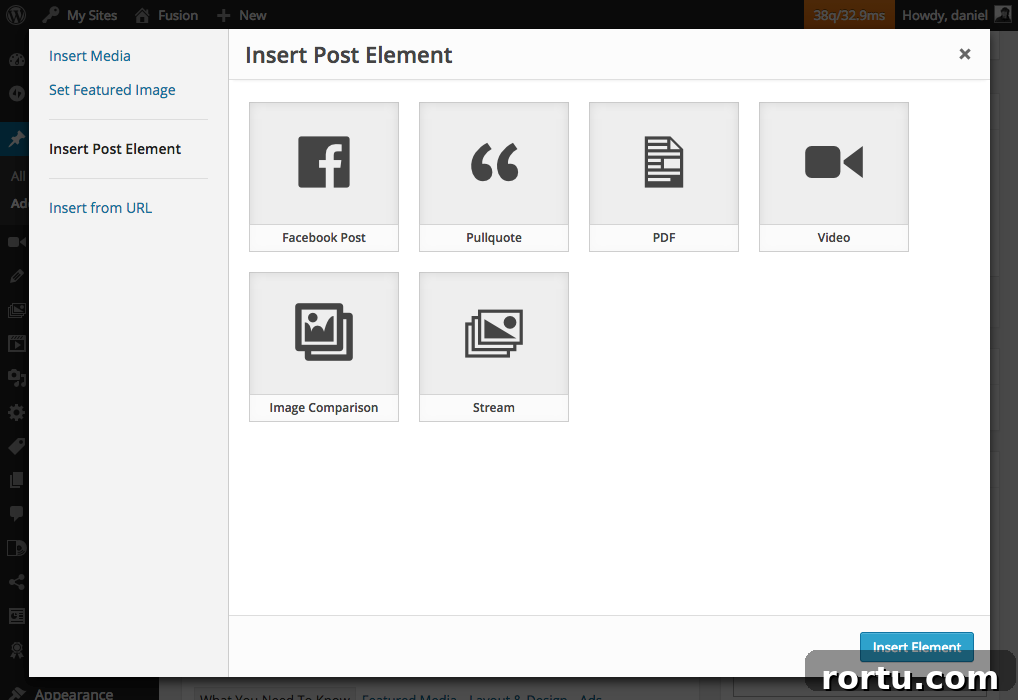
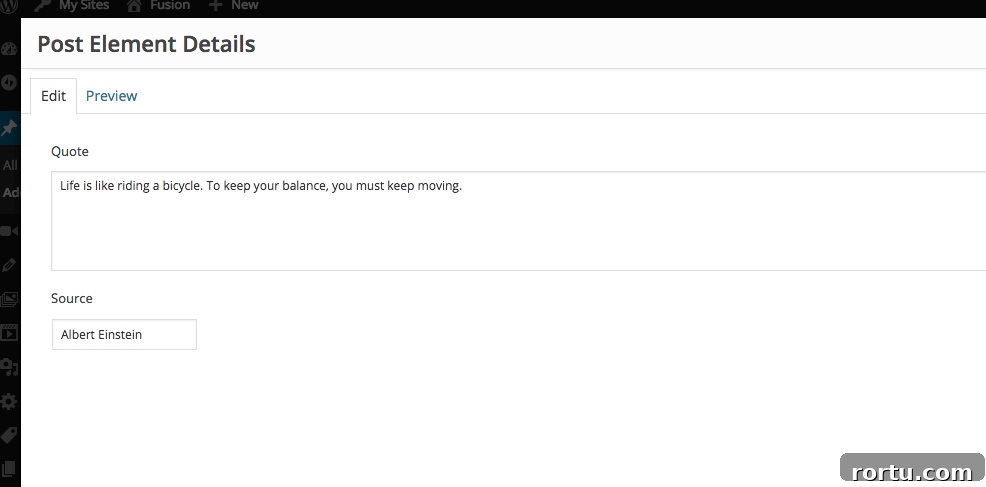
The Shortcake (Shortcode UI) plugin provides a visual interface for inserting and editing shortcodes in the editor. It adds an “Insert Post Element” option to the Add Media / Insert UI and shows all shortcodes that include Shortcode UI support. The interface offers a visual builder for the shortcode’s attributes and inserts a properly formatted shortcode into the content. In Visual mode it can also render a preview of the shortcode, making the experience far more intuitive for clients.
Shortcake is maintained as a core-feature plugin with the goal of eventual inclusion in WordPress core. That broader adoption would make shortcodes more reliable and user-friendly across sites.
Using Your Own Shortcodes
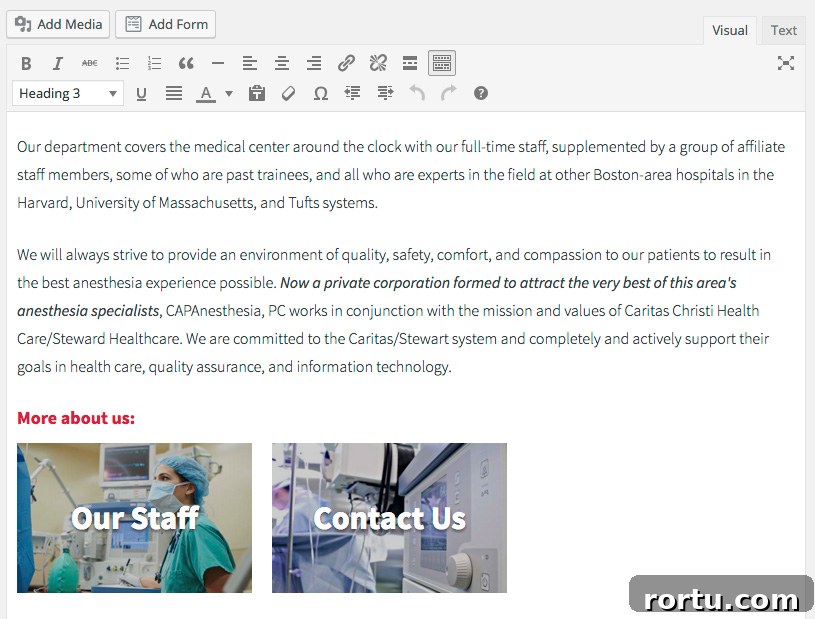
I recently built a visual “page link” element for a client. They needed to select which pages to feature and where to place those links in the page content. Each link appears as a rectangle with the page’s featured image as a background and the page title overlaid.
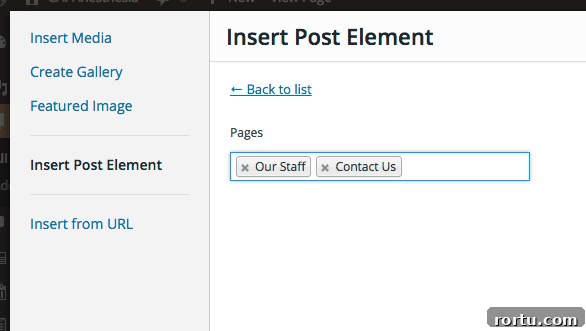
I created a shortcode that outputs these links, for example: [page-link ids=”12,34″]. But expecting clients to remember numeric IDs or exact syntax is unrealistic. To make this simple I registered the shortcode in my core functionality plugin and added Shortcake UI support so the client can select pages from a post selector rather than typing IDs.
The main points of the implementation are:
- A shortcode function that accepts an ids attribute, sanitizes the input to integers, and builds the output by looping through the selected page IDs.
- For each page, if it has a featured image the shortcode sets an inline background-image using a registered image size (named “page_link”).
- The shortcode output creates an anchor for each selected page, adds the inline style when appropriate, and overlays the page title.
- If the Shortcake/Shortcode UI functions are available, the shortcode is registered with a UI definition that provides a labeled post selector field limited to pages and allows multiple selections.
- An image size (page_link) is registered so the background images use an appropriate, cropped size for the page link tiles.
After registering the shortcode and Shortcake UI, I added the corresponding CSS to both the theme stylesheet and the editor-style.css so the editor renders the page links visually while editing. That way the client sees and positions the visual page links directly within the editor.

Summary
I remain cautious about adding shortcodes and use them only when necessary. When shortcodes are required, integrating Shortcake (Shortcode UI) with a core functionality plugin and adding editor styles makes them much more user-friendly. This approach reduces friction for clients by providing a visual interface for inserting and previewing complex elements, while keeping content portable and manageable.